


How to get Microsoft 365 Personal with Copilot for free in Pakistan
- November 17, 2025
- 1573
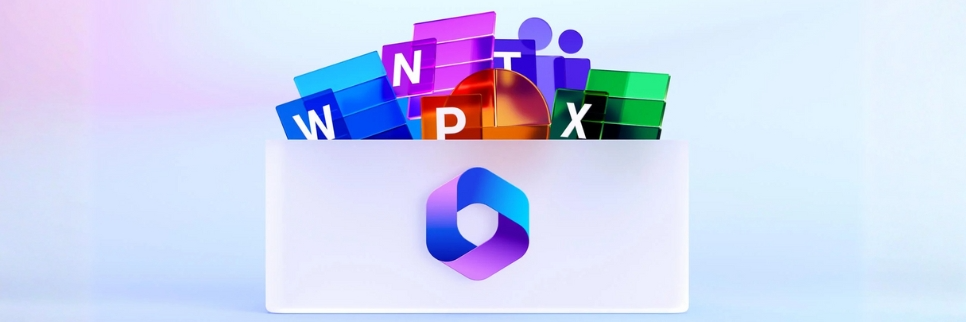
Microsoft is currently offering its Microsoft 365 Personal plan for free for a full year. The best thing is that it comes with Copilot, which may assist with learning, organizing, and writing.
The caveat is that only students who fulfill the eligibility requirements can take advantage of the deal. Nevertheless, it is a great chance for anyone trying to increase production without incurring additional expenses.
Here's how to acquire Microsoft 365 Personal with Copilot for free if you're a student and want to take advantage of this special offer in Pakistan.
Who is eligible for free Microsoft 365 Personal?
Microsoft disclosed that their most recent offer is aimed at college students. A student must be enrolled in an undergraduate or graduate program at a recognized university and have finished high school in order to be eligible.
The requirements will not be met by anyone who is not enrolled in an approved degree program. Students who qualify can now activate a free 12-month Microsoft 365 package by visiting the redemption website.
New claims will no longer be accepted after November 30, when the promotion expires. Please be aware that the free student plan is presently only offered in the US, Canada, and the UK.
How to get Microsoft 365 Personal for free
It's simple to obtain the free plan if you fit the requirements. By following the instructions below, you may activate the deal in a matter of minutes because Microsoft has kept the process straightforward:
-
Navigate to the Microsoft Copilot for Students page using any browser.
-
Locate the "Study smarter with Copilot and Microsoft 365" area, then click the "Redeem free offer" button.
-
Use your Microsoft account to log in, or create a new one if you don't already have one.
-
You are immediately enrolled in the Microsoft 365 Personal plan after logging in. Within a day, Microsoft will send you an email with all the information about the deal.
To activate your free plan, adhere to the guidelines provided in the email.
Once you've finished these steps, you can start using Microsoft 365 Personal for free. To ensure you don't miss the email, just be sure to check your spam folder. You may immediately begin utilizing programs like Word, PowerPoint, Excel, and more after you take advantage of the deal.
Microsoft 365 Personal free subscription features
You get access to a comprehensive set of potent tools when you've redeemed the offer. To help you understand exactly what you're getting, below is what's included in the complimentary Microsoft 365 Personal subscription:
-
The Microsoft 365 Personal free membership is only intended for one person and cannot be shared with other users.
-
Computers, phones, tablets, and other devices can all access the subscription at the same time.
-
A hefty 1 terabyte (1TB) of cloud storage will be provided to students, which will be used for both OneDrive file storage and Outlook email.
-
Gives users premium access to the Microsoft 365 core suite, which includes Teams, OneDrive, Word, Excel, PowerPoint, Outlook, and SharePoint.
-
Every app has the Copilot, which is integrated right into the sidebar of all essential apps to offer improved functionality and support.
-
Along with the usual services, the Copilot app provides new, sophisticated tools, including Deep Research, Podcasts, and Vision features.
-
Copilot has capabilities for creating images and videos, enabling a full multimodal experience across the Microsoft 365 suite.


